Arrow Functions in JavaScript: A Simpler Way to Write Functions
JavaScript: A Simpler Way to Write Functions

Software engineer passionate about tech, innovation & research. I explore, build, and share insights on coding, systems, and emerging technologies.
Introduction
Modern JavaScript introduced several features that help developers write cleaner and more readable code. One of the most widely used features is arrow functions, introduced in ES6 (ECMAScript 2015).
Arrow functions provide a shorter and more expressive way to write functions in JavaScript. They remove unnecessary syntax and make simple functions easier to read and maintain.
What Are Arrow Functions?
An arrow function is a shorter way to write a JavaScript function. It replaces the traditional function keyword with a special arrow syntax =>.
The primary goal of arrow functions is to reduce boilerplate code and improve readability.
Example: Traditional Function
function greet() {
  return "Hello Developer";
}
Arrow Function Version
const greet = () => "Hello Developer";
Notice how the arrow function removes:
the
functionkeywordunnecessary braces
the
returnkeyword
The result is a cleaner and shorter function.
Normal Function to Arrow Function Transformation
The transformation from a normal function to an arrow function generally follows a simple pattern.
Normal Function
function add(a, b) {
  return a + b;
}
Arrow Function
const add = (a, b) => a + b;
Transformation Diagram
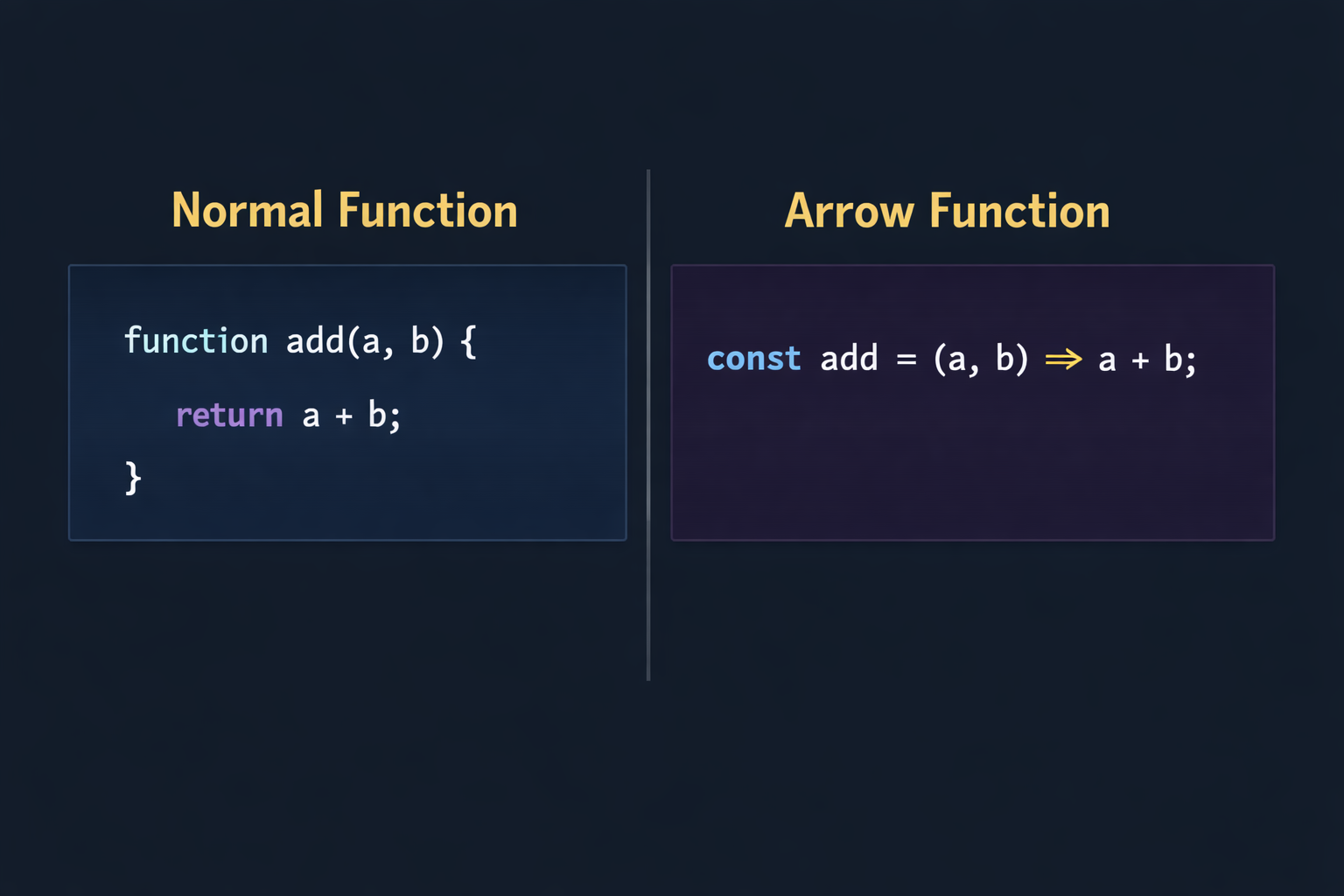
Breakdown of the syntax:
(a, b)→ function parameters=>→ arrow operator connecting parameters and function bodya + b→ function logic
Basic Arrow Function Syntax
The general syntax of an arrow function is:
const functionName = (parameters) => {
  // function body
};
Example:
const subtract = (x, y) => {
  return x - y;
};

console.log(subtract(10, 4));
Output:
6
Arrow Functions with One Parameter
When an arrow function has exactly one parameter, the parentheses around the parameter are optional.
Normal Function
function cube(num) {
  return num * num * num;
}
Arrow Function
const cube = num => num * num * num;

console.log(cube(3));
Output:
27
Removing parentheses in this situation helps keep the code compact and readable.
Arrow Functions with Multiple Parameters
If a function has zero parameters or more than one parameter, parentheses are required.
Example
const multiply = (a, b) => a * b;

console.log(multiply(6, 7));
Output
42
Zero Parameter Example
const getMessage = () => "Welcome to JavaScript";

console.log(getMessage());
Output
Welcome to JavaScript
Implicit Return vs Explicit Return
One of the most useful features of arrow functions is the ability to implicitly return values.
Understanding when to use implicit return and explicit return is important.
Explicit Return
When curly braces {} are used, the function behaves like a normal function and requires the return keyword.
Example:
const createGreeting = (name) => {
  const message = "Hello ";
  return message + name;
};

console.log(createGreeting("Rochak"));
Output
Hello Rochak
Here we used curly braces because the function contains multiple lines of logic.
Implicit Return
When curly braces are not used, the expression after the arrow is automatically returned.
Example:
const divide = (a, b) => a / b;

console.log(divide(20, 5));
Output
4
Rule
With Curly Braces  -> use return
Without Curly Braces -> return is automatic
Arrow Function Syntax Breakdown
Example:
const power = (base, exponent) => base ** exponent;
Diagram representation:
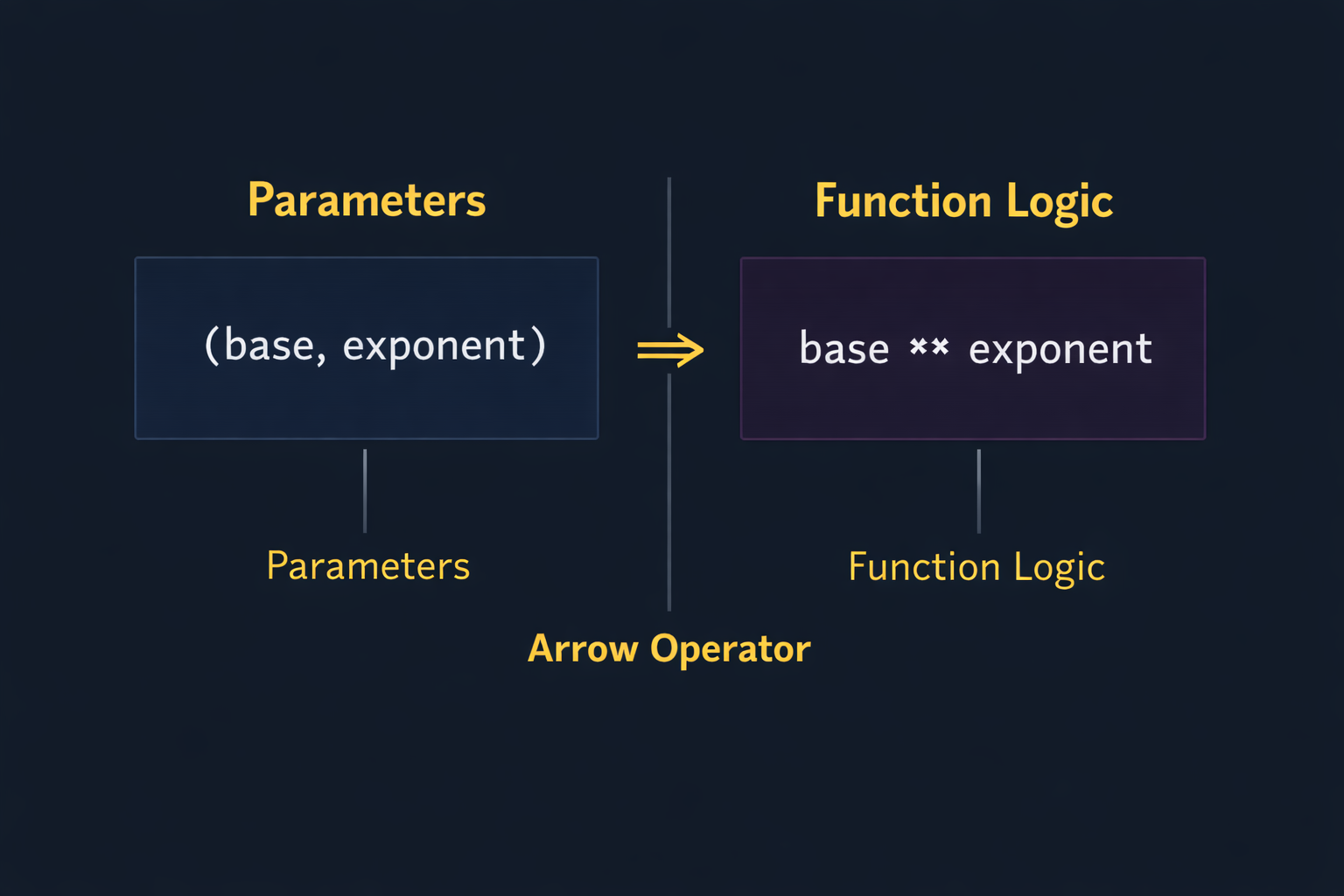
Components:
Parameters → values passed to the function
Arrow (
=>) → separates parameters and bodyFunction body → logic executed by the function
Basic Difference Between Arrow Functions and Normal Functions
Although arrow functions look similar to normal functions, they have some differences.
| Feature | Normal Function | Arrow Function |
|---|---|---|
| Syntax | Uses function keyword |
Uses => syntax |
| Code Length | Longer syntax | Shorter and cleaner |
| Return | Always requires return |
Supports implicit return |
this keyword |
Has its own this context |
Inherits this from surrounding scope |
For beginners, arrow functions are most commonly used for:
simple calculations
array operations
short utility functions
Using Arrow Functions with Arrays
Arrow functions are often used with array methods like map, filter, and reduce.
Example Using map()
Suppose we have an array of numbers and we want to double each value.
const numbers = [2, 4, 6, 8];

const doubledNumbers = numbers.map(num => num * 2);

console.log(doubledNumbers);
Output
[4, 8, 12, 16]
The arrow function keeps the code concise and readable.
Conclusion
Arrow functions are an essential feature of modern JavaScript. They allow developers to write functions in a cleaner and more concise way.
Key points to remember:
Arrow functions replace the
functionkeyword with=>They help reduce unnecessary syntax
They support implicit returns for single expressions
They work well with array methods like
map
For beginners, arrow functions are a great way to write shorter and more readable JavaScript code. As you continue learning JavaScript, you will see arrow functions used extensively in modern frameworks and applications.


